A Complete Guide to Plixer's MCP Server
Give AI assistants secure access to the network intelligence already collected by Plixer Scrutinizer
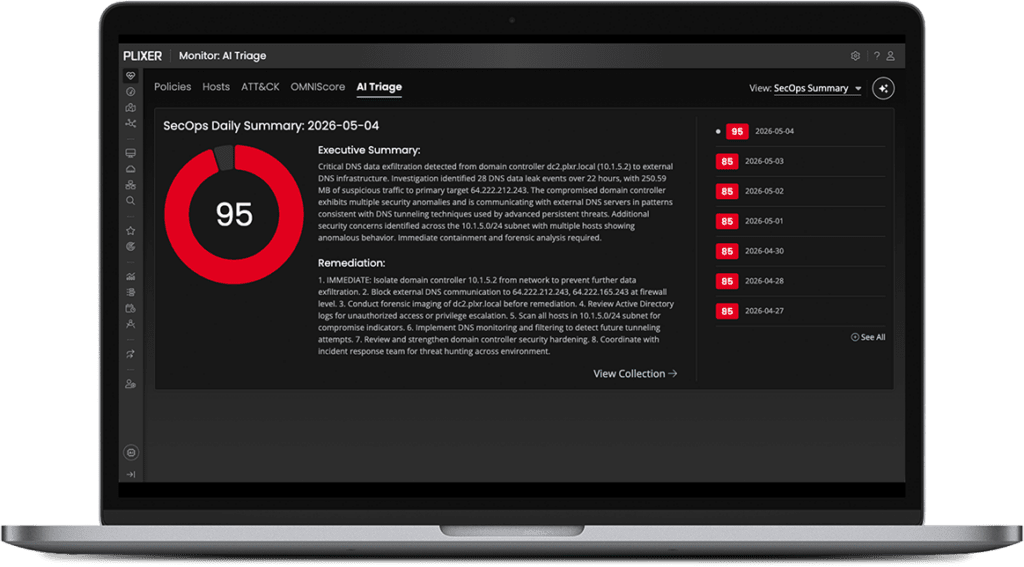
The Plixer MCP Server connects MCP-compatible AI clients to the network flow data Plixer collects and analyzes. Instead of digging through dashboards or exporting data, analysts can ask about traffic, applications, hosts, interfaces, alarms, reports, and historical activity in plain language, then get answers grounded in their Scrutinizer data.
Your AI. Your model.
Your network data.
Bring the network context available in Scrutinizer into the AI experience your team already uses.





How the Plixer MCP Server Works
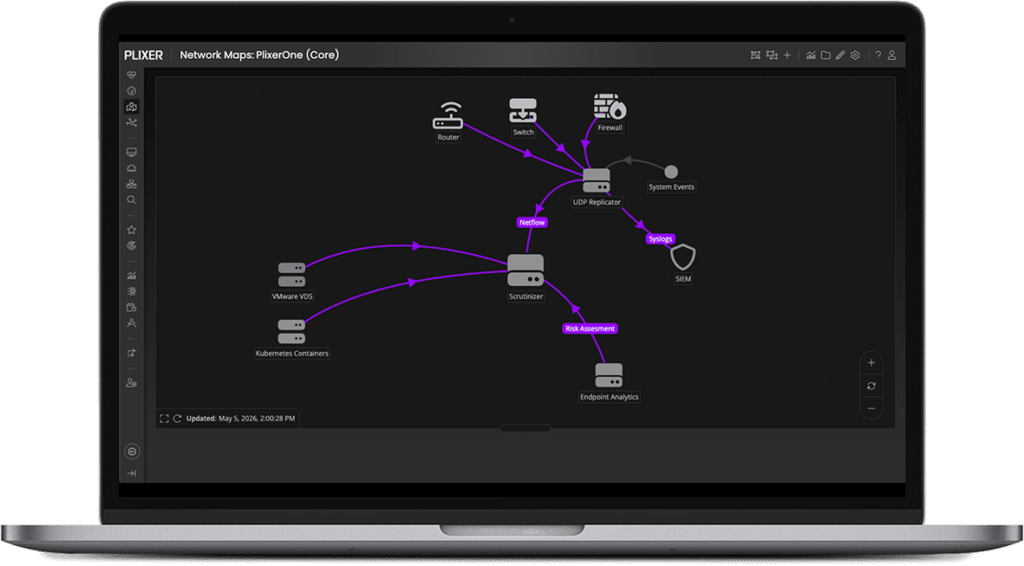
Ask a network question in an MCP-compatible AI client. The client selects an available Scrutinizer tool and sends the request through Model Context Protocol. Scrutinizer runs the request against the network data it already collects and analyzes, then returns structured results. The AI client turns those results into a response in its own interface.
The important difference is not the protocol alone. MCP is the integration layer. Scrutinizer is the source of network flow data, reports, alarms, host context, interface activity, and investigative evidence available to the AI, subject to configured tools and permissions.
What Is Model Context Protocol?
Model Context Protocol, or MCP, is an open standard that gives AI clients a consistent way to connect to external tools and data sources. In the Plixer implementation, MCP is the integration layer, not a component of Plixer AI. Scrutinizer supplies the network flow data and investigative context that an external AI uses to answer network questions.
Schedule a DemoPlixer MCP Server FAQs
Does Plixer have an MCP server?
UDP replication ensures that flow metadata is delivered to multiple analysis platforms. This reduces blind spots and improves detection coverage across the environment.
Is the Scrutinizer MCP Server part of Plixer AI?
Plixer Replicator forwards enriched telemetry to Scrutinizer. This enables deeper analytics, improved correlation, and faster threat detection.
Which Plixer editions include MCP?
Yes. The UDP replication tool is designed to support distributed, hybrid, and cloud scale architectures.
Do I need to export flow data to another system?
Plixer Replicator forwards flow metadata rather than full packets. This reduces overhead while maintaining broad visibility.
How do remote AI clients authenticate?
It ensures DNS flow telemetry is delivered to multiple detection systems simultaneously, improving correlation accuracy and response speed.
Can the AI change Scrutinizer settings?
It ensures DNS flow telemetry is delivered to multiple detection systems simultaneously, improving correlation accuracy and response speed.
Does Scrutinizer retain a year of full-detail flow by default?
It ensures DNS flow telemetry is delivered to multiple detection systems simultaneously, improving correlation accuracy and response speed.
Give Your AI the Network Context It Is Missing
Connect an MCP-compatible AI client to the network data Plixer
collects and analyzes. Ask in plain language. Get an answer
grounded in your Scrutinizer data. Keep the experience in the
AI interface your team already uses.