MCP stands for Model Context Protocol, an open standard that lets AI assistants connect directly to the tools and data you already use instead of relying only on what they were trained on. It has become the topic of the moment because it solves the complaint people have made about AI since the beginning: it sounds confident even when it has no idea what is actually happening inside your systems.
If you have noticed an AI assistant suddenly checking a real support ticket, looking up an actual device on a network, or pulling a real number instead of describing one in the abstract, MCP is very likely the reason.
Why Everyone Is Talking About It Right Now
Anthropic introduced MCP in November 2024. In under two years it has gone from a single company's idea to something OpenAI, Google, Microsoft, IBM, and Amazon all support in their own AI tools. MCP server downloads reportedly grew from roughly 100,000 in the month it launched to the millions within just a few months, and adoption has kept climbing sharply since.
In December 2025, Anthropic handed governance of MCP to the Linux Foundation, backed by Google, Microsoft, Amazon, OpenAI, and others, so no single company controls where it goes next. That is a fast trip from one company's project to a protocol every major AI vendor now treats as basic infrastructure, the same way every laptop maker eventually just agreed on USB-C.
The Problem MCP Actually Solves
An AI model's knowledge is general and frozen at whatever point it was trained. It does not know what happened in your ticketing system this morning, what your inventory actually looks like today, or what a specific device on your network is doing right now. Ask it a question about your current, specific reality, and it will either say it cannot know, or worse, guess in a way that sounds informed.
Before MCP, the fix was custom integration work: an engineer wiring one AI tool to one internal system, then doing it again for the next tool and the next system. Multiply the number of AI tools you use by the number of systems you rely on, and that is how many one-off connections someone had to build and maintain. MCP turns that multiplication into addition, because every system builds one MCP server. Every AI tool builds one MCP client. Any client can then talk to any server, without a custom bridge for each pairing.
What MCP Actually Is, in Plain English
Think of MCP as the USB-C port of the AI world. Instead of every device needing its own proprietary cable, everything just plugs into the same standard port. An MCP server is a system exposing a set of well-described actions, called tools, that an AI can call: look up this record, run this report, check this status. An MCP client, such as an AI chat assistant or an automated workflow tool, connects to one or more of those servers.
Here is the part that matters most: the AI decides which tool to call based on your question, sends the request, reads back the real result, and reasons over that result before answering you. It is not generating a plausible-sounding response from memory. It is querying your actual system and reporting what came back. That distinction, grounded versus guessed, is the entire reason MCP matters.
How It Changes Your Actual Workflows
The interesting part is not the protocol itself. It is what becomes possible once your different systems are all reachable by the same AI client at the same time. A few patterns keep showing up.
It catches the gap between what's documented and what's real
Most organizations keep a system of record, a place that says what should exist: a device, an asset, a subscription, a policy. Reality does not always match. Something can sit in the record marked active while quietly doing nothing, or exist very much alive while never having been recorded at all. Reconciling those two views by hand means someone manually cross-checking two systems that have no idea the other one exists. An AI client connected to both can pull both lists, diff them, and hand you the specific gaps in seconds, in either direction.
It lets you ask in your own words, not the system's words
Your internal tools organize the world by IDs, IP addresses, and ticket numbers. You think in names: a site, a project, a customer. When you ask a question scoped to something in your own vocabulary, a connected AI can resolve that name in the system that understands it, then check the systems that don't, and answer you back in the terms you actually used.
It works even when nobody is watching
The same connection that answers an engineer's question in a chat window can run unattended. A workflow tool can watch for a new ticket, a new alert, or a new request, decide on its own whether it is worth investigating, query the relevant systems for real evidence, and either leave a note with its findings or step aside if nothing looks relevant. In practice this means routine questions get answered with real evidence in minutes, before anyone opens the ticket, and the exceptions still land in front of a person.
Where Plixer Fits
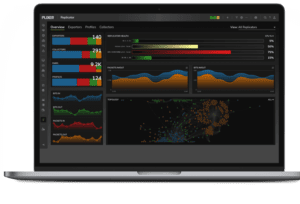
If you run Plixer Scrutinizer or Plixer One, your network's flow data can already be one of the systems an MCP-capable AI plugs into. Scrutinizer ships with a built-in MCP server that powers the Plixer AI Assistant and is also available to outside AI clients like Claude Desktop or an automated workflow tool. That means the same kind of question this post has been describing — is this device actually sending traffic, is this site really being monitored, is this alert something real — can be answered against your live flow data instead of a guess, with the underlying reports and alarms right there as evidence.
Access is tiered by default. Read-only tools are available out of the box, while anything that changes a setting or acknowledges an alarm has to be turned on deliberately under AI Settings. An AI client can investigate your network the moment it's connected, but it can't change anything until you decide it should.
Key Takeaways
MCP is a connection standard, not a single product, and it is the reason AI assistants can now work from your real data instead of a general guess.
- MCP defines a common way for AI tools (clients) to plug into your systems (servers), the same way USB-C works across devices regardless of brand.
- The core problem it solves is grounding: answers come from a live query to your actual system, not from the model's training data.
- It changes integration math from multiplying (every AI tool times every system) to adding (one connector per system, one connector per AI tool).
- It works with a person asking questions in a chat window, and it works fully unattended inside an automated workflow.
- Access does not have to be all-or-nothing. Read-only investigation can be available immediately, with write access turned on only when you're ready.
Next Steps
If you want to see what's actually behind the answers an AI gives you, it helps to understand the data itself. Our overview of NetFlow and IPFIX breaks down flow records, exporters, and collectors in plain language, which is useful background before you ask an AI agent to go query them for you.
And if you're curious what a real investigation looks like once an AI agent is the one generating the traffic, our guide to monitoring AI agent network traffic walks through how agentic traffic differs from human traffic and the workflow for investigating it when something looks off.
See it in action: request a live walkthrough of Scrutinizer, and we'll show you the Plixer AI Assistant answering a real question against real traffic and real alarms.
Book a DemoMCP stands for Model Context Protocol. It's an open standard, introduced by Anthropic in November 2024, that gives AI assistants a consistent way to connect to outside tools and data instead of each AI tool needing its own custom integration.
No. A chatbot is one possible client. MCP is the connector underneath it. The chatbot (or any other AI client) uses MCP to reach into your actual systems, run a real query, and bring the result back into the conversation.
No, that's the point. Once someone has set up the connection, you just ask a question in plain language. The technical setup happens once, on the systems side, not every time someone wants an answer.
A server is the system exposing data and actions, like a network monitoring platform or a ticketing system. A client is the AI tool that connects to one or more servers to answer your questions, such as a chat assistant or an automated workflow agent.
Yes. An automated workflow tool can use an MCP connection to check every new ticket or alert against real data on its own, add findings automatically, and only leave something for a human when it can't reach a confident answer.
That's the most common misconception, that connecting an AI means giving it free rein. Well-built MCP servers separate read-only tools from write tools, so an agent can investigate and report immediately while anything that changes a setting stays off until someone turns it on deliberately.
You often don't need to build anything. If the systems you already use ship with an MCP server, and increasingly they do, the setup is closer to entering a URL and a token than writing an integration from scratch.
Plixer Scrutinizer and Plixer One ship with a built-in MCP server, so your network's flow data, alarms, and reports are already reachable by any MCP-capable AI client, including Scrutinizer's own AI Assistant.