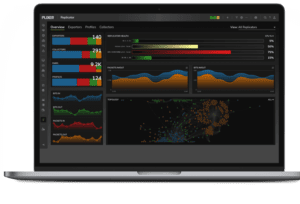
Lateral movement is detected by spotting small changes in internal network behavior: new host-to-host connections, unusual authentication patterns, and east-west traffic that deviates from normal baselines. The key is catching these changes early, before they become widespread access or data loss.
Most lateral movement does not trigger signatures. It blends in. Attackers move slowly, using legitimate credentials and normal protocols to avoid detection. What changes is not the toolset, it’s the behavior.
The Problem: You See Traffic, But Not the Movement
A user logs in from a new system. A server connects to a peer it has never accessed before. Authentication requests increase slightly after hours.
None of these events look critical on their own, and that’s exactly why lateral movement is hard to detect early. Each signal appears normal in isolation, buried in the volume of everyday activity.
This is where most investigations slow down. Security sees authentication logs. NetOps sees traffic flows. Neither sees how those signals connect. By the time the pattern is recognized, the attacker has already moved across multiple systems.
The issue is not visibility. It’s the lack of shared context to connect small changes into a clear sequence of movement.
What Lateral Movement Actually Looks Like
Lateral movement is not a single event. It’s a sequence of small changes across hosts, services, and time.
You’ll see:
- A host initiating connections to new internal peers
- Authentication attempts across multiple systems in short intervals
- Access to services not previously used by that device
- A steady increase in east-west traffic between segments
- This is why behavioral baselines matter. Without knowing what's normal, these changes look like noise. For more on how behavioral analytics connects signals across users, devices, and network activity, see How User Behavior Analytics (UBA) Fits Into the Security Stack.
Why Traditional Detection Misses Lateral Movement
Signature-based tools look for known threats. Lateral movement rarely matches those patterns.
Attackers use:
- Valid credentials
- Standard protocols like SMB, RDP, and SSH
- Approved internal paths
There is no malware signature to match. No obvious IOC. This is why detection stalls. The activity is technically valid, but operationally abnormal.
The only reliable way to detect it is to track behavior over time and identify meaningful deviation in how hosts communicate, authenticate, and access services.
Step by Step: How To Detect Lateral Movement
Step 1: Establish a Baseline of Normal Internal Traffic
Start by understanding how systems normally communicate.
You need visibility into:
- Which hosts talk to each other regularly
- What services they use
- How often authentication occurs
- Typical data transfer volumes
Flow data such as NetFlow or IPFIX provides this foundation. It shows who is communicating, how often, and how much data is moving.
Most environments establish useful baselines within 7 to 30 days. Without this baseline, every connection looks the same.
Step 2: Identify New or Unusual East-West Connections
Once you know what normal looks like, focus on change.
Look for:
- Hosts communicating with internal systems for the first time
- Sudden increases in the number of internal connections per host
- New communication paths between segments
This is often the first visible sign of lateral movement. For example, a workstation that normally talks to two servers suddenly connects to eight. That change matters more than total traffic volume.
If you don’t have a dedicated tool, you can:
- Compare connection logs over time
- Track new IP-to-IP relationships manually
- Review firewall or switch logs for new flows
It’s slower, but the principle is the same. Find what changed.
Step 3: Analyze Authentication Behavior
Lateral movement often relies on credential reuse.
Watch for:
- Repeated login attempts across multiple hosts
- Authentication spikes outside normal hours
- A single account accessing systems it has never touched before
Directory logs, RADIUS, and VPN authentication records are key here.
For example:
- 01:12 — User authenticates to one server
- 01:14 — Same user authenticates to three additional systems
- 01:18 — Authentication failures increase across multiple hosts
This pattern suggests credential testing or expansion. Individually, these are routine events. Together, they show movement.
Step 4: Build a Timeline of Activity
At this point, you have signals. Now you need sequence.
A timeline answers:
- When did the behavior start?
- Which system was accessed first?
- How did the activity spread?
Example:
- 02:03 — New internal connection established
- 02:07 — Authentication to second host
- 02:11 — Third host accessed
- 02:18 — Data transfer begins between systems
This progression is what defines lateral movement.
Flow records, authentication logs, and alert timestamps should all align into a single timeline. Without it, cause and effect are easy to misinterpret.
Step 5: Trace the Scope of Movement
Once movement is confirmed, determine how far it reached.
You need to identify:
- All affected hosts
- All internal peers contacted
- Any segments involved
- Whether access expanded to critical systems
Flow data helps map this quickly. You can pivot from one host to all its connections, then repeat outward until the full scope is mapped. This is where investigations often slow down without the right data.
Step 6: Validate with Packet Evidence (If Needed)
Flow data shows behavior. Packets confirm intent.
If the situation requires deeper validation, capture traffic for specific sessions:
- SMB file access patterns
- RDP session activity
- Command execution over SSH
Selective packet capture allows you to confirm whether activity is administrative or malicious without storing full packet streams. This approach keeps investigations efficient while still providing proof when needed.
Investigation Scenario: Lateral Movement in Progress
An alert flags unusual internal connections. You open a timeline and see activity begin at 01:47.
A workstation starts communicating with two internal servers it has never accessed before. Within minutes, authentication attempts appear across four additional systems. Traffic volume remains low, but the number of connections increases steadily.
By 02:05, the host is communicating with eight internal systems. Flow data shows the expansion. Authentication logs confirm credential reuse. Packet capture on one session reveals administrative shares being accessed.
At this point, you’re not guessing. You know where it started, how it spread, and which systems are affected. Containment decisions are based on evidence, not assumptions.
Common Root Causes and How They Appear
Lateral movement typically stems from a few initial conditions:
Compromised credentials
Shows up as authentication across multiple systems from a single account.
Phishing or endpoint compromise
Initial host begins communicating with new internal peers.
Unpatched systems
Unexpected service access and repeated connection attempts to vulnerable hosts.
Over-permissioned accounts
Broad access across systems without prior history.
Each of these leaves a trail in network and authentication data. The pattern is what matters.
Why Detection Speed Matters
Attackers don’t need to move fast. They need to move undetected, expanding access one system at a time while staying within normal-looking activity.
That window is where damage happens. According to IBM’s Cost of a Data Breach Report 2025 the mean time to identify and contain a breach is 241 days. Breaches that take more than 200 days to resolve cost an average of $5.01M, compared to $3.87M for those resolved faster. That $1.1M gap is a direct representation of the cost of slow detection.
The difference between early detection and late discovery is not just response time. It’s scope. Catching lateral movement at the first new connection is a contained incident. Catching it after weeks of expansion is a full investigation across users, systems, and data access, with a significantly larger bill attached.
Organizations using flow-based behavioral analytics have reported up to a 70% reduction in attacker dwell time by identifying these changes earlier. Detection speed changes the outcome, not just the timeline.
Where Most Teams Get Stuck
Even with the right data, investigations stall in handoffs. An alert fires in the SIEM, but the flow data lives in a different tool. The authentication logs sit with the identity team. By the time the timeline is reconstructed across three platforms, the attacker has moved again. The fix is not more data. It's putting the signals on the same timeline so the sequence is obvious as it unfolds. If you're seeing this during performance incidents as well, the same gap is likely affecting both teams. See Network Troubleshooting: How To Diagnose Network Outages Faster for how shared timelines improve resolution.
Final Takeaway
Lateral movement doesn’t start with alarms. It starts with small changes. A new connection, a slight increase in authentication, a shift in behavior. Small changes that, when connected, reveal movement early.
Detecting it early means recognizing those changes, connecting them into a timeline, and proving what happened with real network data.
Fix performance. Detect threats. Same platform.
See how teams detect lateral movement and confirm scope in Plixer One.
Key Takeaways
Lateral movement doesn’t announce itself. It hides in the same traffic, credentials, and protocols your network uses every day. Here’s what to keep in mind:
- Lateral movement is a sequence of small changes, not a single event
- Signature-based tools miss it because the activity is technically valid
- Behavioral baselines are what separate normal traffic from meaningful deviation
- Authentication patterns and east-west connections are the earliest visible signals
- A timeline connecting flow data, authentication logs, and packet evidence turns suspicion into proof
- Detection speed determines scope: catching movement early keeps it contained
Next Steps
Lateral movement is one part of a broader threat detection picture. If you want to keep building on what you learned here:
Go deeper on anomaly detection
Lateral movement is one part of a broader threat detection picture. If you want to keep building on what you learned here, see: How Network Anomaly Detection Works and Why It Matters.
See how shared timelines speed up network investigations
The same approach that uncovers lateral movement also cuts outage diagnosis time dramatically.
See: Network Troubleshooting: How To Diagnose Network Outages Faster.
See it in your environment
Lateral movement leaves a trail in your network data right now. A 30-minute demo shows you what that looks like in Plixer One. Request a Demo.
Get this resource emailed to you
Want this post sent to your inbox?
Subscribe to the blog.
FAQs
Normal traffic follows consistent patterns between known systems. Lateral movement introduces new connections, new authentication paths, and changes in behavior that deviate from those patterns.
At minimum:
- Flow data for traffic visibility
- Authentication logs for identity tracking
- Optional packet capture for validation
Together, these provide detection, context, and proof.
Anomaly detection identifies meaningful deviations from normal behavior across the network broadly. Lateral movement detection is a specific application of that, focused on east-west traffic, authentication patterns, and new host-to-host connections inside the network.
Scope the full path before taking containment action. Isolating one host before understanding how far the activity spread can push an attacker deeper. Use flow data to map every affected system, prioritize containment based on what is most at risk, and document the timeline as you go.
Yes. Encryption hides content but not behavior. Flow data still shows which hosts are communicating, how often, and when patterns change, without requiring decryption.
Most lateral movement uses stolen credentials rather than malware, so there is no signature to match. The only reliable signal is behavioral: the same account authenticating across multiple systems in a short window, or accessing services it has never used before.
About the Author