Flow-based network detection and response
Network detection and response that catches threats early and shows you what to contain
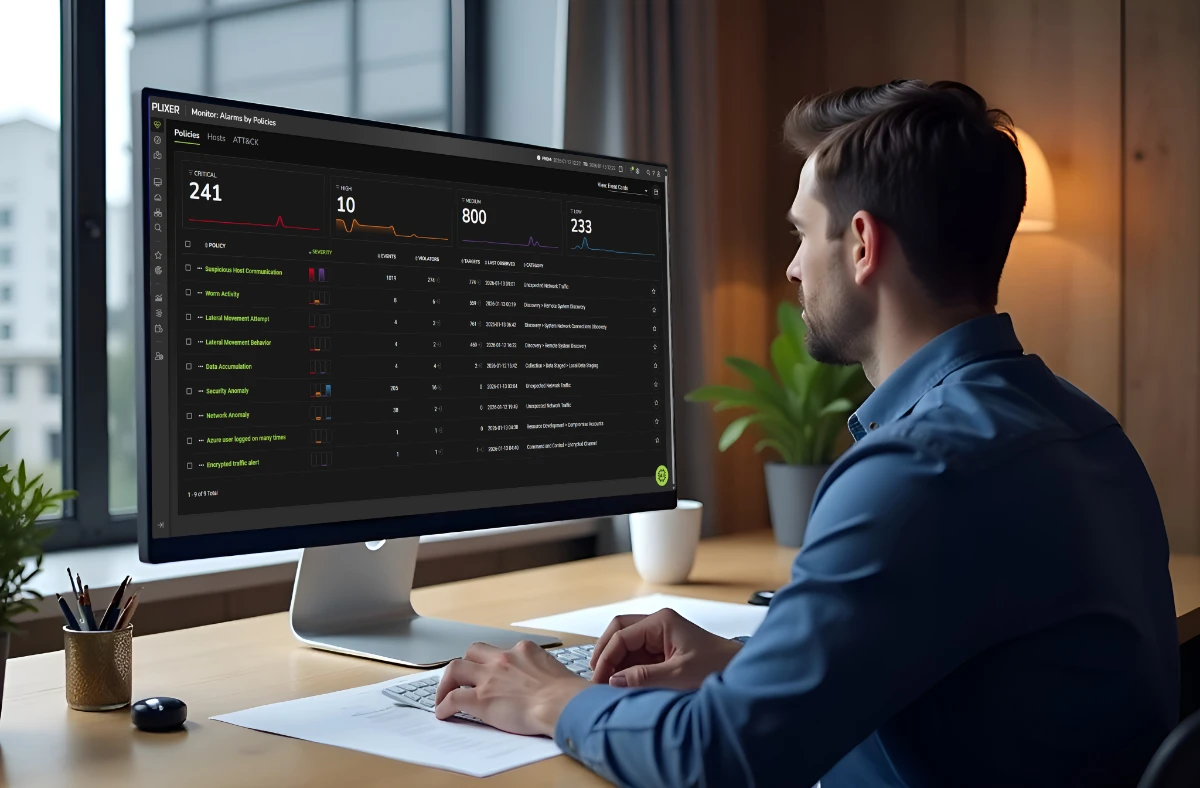
Lateral movement, command and control, and data exfiltration all start as small changes in network behavior.
Plixer catches those changes in the network flow your devices can export, then shows who talked to whom, when it started, and which systems it reached.
By default, Plixer keeps a year of searchable history for every host it sees.
What it is
What is network detection and response?
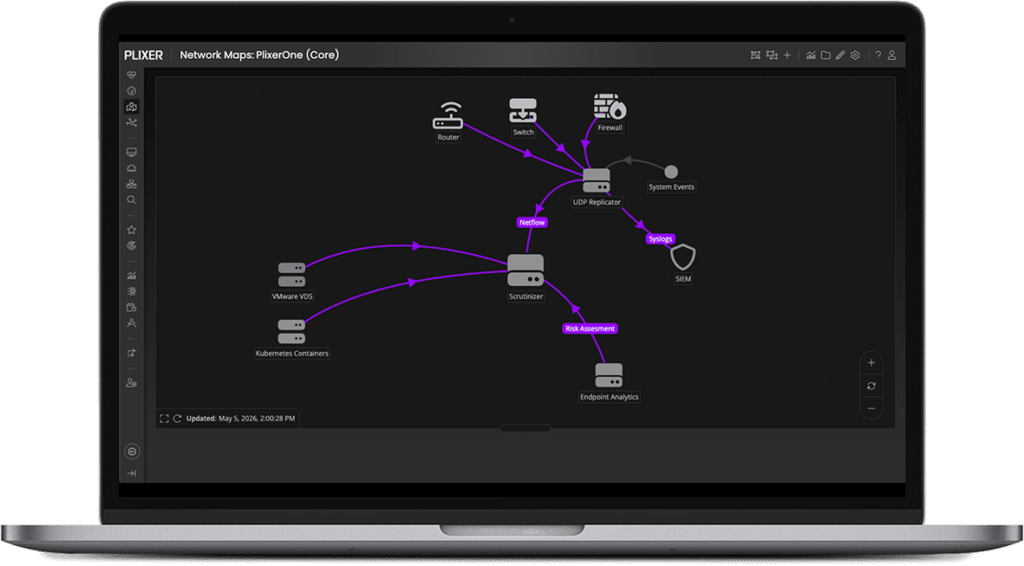
Network detection and response (NDR) finds threats by watching the traffic between systems. It then gives analysts the evidence to see how far they spread and contain them.
Plixer builds NDR on network flow, the records your devices can export about the conversations that cross them. That fills gaps that endpoint and log tools often leave: traffic moving between your internal systems, devices that can’t run an agent, and encrypted sessions where the contents can’t be read but the conversation is still on record.
Questions Plixer answers
What can you answer in the middle of an investigation?
These are the questions that come up once an alarm fires, and where each answer comes from.
What else did this host talk to before the alarm?
What you can do
See the host’s conversations, peers and timeline before and after the alarm.
Using
Have we seen this IP address in the last year, and where?
What you can do
Search a year of host history in seconds.
Using
Is this east-west traffic normal?
What you can do
Compare current behavior against the host’s learned baseline.
Using
Is data leaving through DNS?
What you can do
Detect data leaks and command and control hidden in DNS traffic.
Using
Who is actually behind this IP address?
What you can do
See the user and device behind each address.
Using
Can I get the packets?
What you can do
Pull packet captures, triggered by a Suricata alert or criteria you set, wherever Plixer FlowPro runs.
Using
Network history
Will the evidence still be there when you go looking?
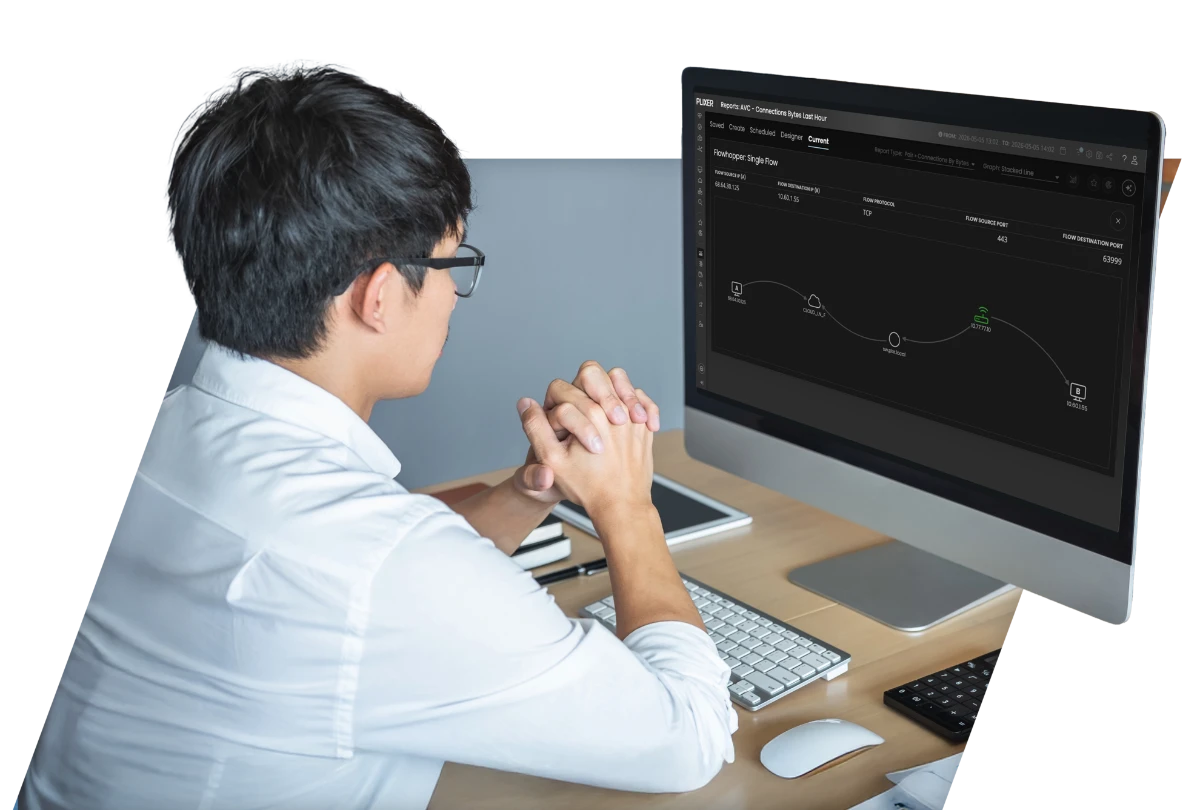
The small, quiet conversations security teams need most are often the first details to disappear. Plixer keeps months to years of flow history, and you decide what stays at full detail and for how long. Separately, Plixer keeps a searchable index of every device it sees, for a year by default.
Most tools decide for you when detail gets rolled up. Plixer makes it your decision.
Detection coverage
What does Plixer detect?
Dozens of built-in detections run on your network flow. Plixer FlowPro and the Plixer Machine Learning Engine add more where you have them. Detections map to MITRE ATT&CK. Threat intelligence feeds including STIX/TAXII check traffic against known-bad hosts and domains.
| Detection | What it finds | Using |
|---|---|---|
| Lateral movement | Attempts to move between internal hosts, successful or not | Plixer Scrutinizer |
| Host reputation | Traffic to known-bad hosts, known command-and-control servers, and your own watchlists | Plixer Scrutinizer |
| Breach attempts | Repeated attempts to get into a host, such as brute force | Plixer Scrutinizer |
| Scans | TCP, UDP, SYN, FIN, NULL, XMAS, and slow port scans | Plixer Scrutinizer |
| DDoS and floods | Volumetric attacks, packet floods, and ping floods | Plixer Scrutinizer |
| Protocol misdirection | Applications running on unexpected ports | Plixer Scrutinizer |
| Reverse SSH shells | SSH sessions that tunnel back into the network from outside | Plixer Scrutinizer |
| Flow-based domain reputation and DNS hits | Known-bad domains seen in flow, and unusual DNS volume | Plixer Scrutinizer |
| Incident correlation | Related alarms grouped into a single incident | Plixer Scrutinizer |
| DNS leaks and command and control | Data leaks and command and control hidden in DNS lookups | Plixer FlowPro |
| Behavioral anomalies | Hosts and users that drift from their learned baseline | Plixer Machine Learning Engine |
| Malware classification | Traffic matched against known malware communication patterns | Plixer Machine Learning Engine |
From alarm to hand-off
How does an investigation run in Plixer?





Where Plixer fits
How does NDR fit with your SIEM and EDR?
It covers the ground between them. EDR, the security software on laptops and servers, sees what happens on devices that run it. Your SIEM, which collects logs, sees what systems choose to record. Network flow sees the conversations between devices, including printers, cameras, building systems, and older servers that can’t run an agent.
Plixer sends alarms and evidence into the tools you already use, including ServiceNow, Tenable, Microsoft Defender, your SIEM, and other security tools.
And because network and security teams work from the same data and the same timeline, “is it the network or is it an attack?” gets settled with evidence that both teams trust.

Plixer AI
What if alarm triage happened overnight?
Plixer AI works the alarm queue while your team is offline. It ranks alarms by risk and impact, points to the likely cause in the flow data, and writes an initial incident brief. Your analysts start the morning with the first pass already written up.
Out of the box, Plixer AI investigates and recommends. It doesn’t change your network.
Meet Plixer AI
Customer story
How does Softcat use Plixer to strengthen network security?
Softcat’s security team wanted their network monitoring to do more for security. The tools they had fell short. So they started with Plixer on their firewalls, then brought in SD-WAN and cloud traffic too.
Adding Plixer FlowPro gave them eyes on systems and internal data transfers they couldn’t see before. Now the team spots suspicious activity, drills down to the specific IP address, and investigates from there.
Read the customer storyIt buys me time and gives me a holistic view across our entire network.
Tim Ibbotson, Security Engineer, Softcat
Network detection and response FAQs
What is network detection and response (NDR)?
NDR is security software that watches network traffic for threats and gives analysts the evidence to respond. Plixer’s NDR works from the network flow your devices can export, with no agents on endpoints.
What’s the difference between NDR and EDR?
EDR runs on each device and sees what happens there. NDR watches the traffic between devices, including ones that can’t run EDR. Many security teams use both.
Does NDR replace a SIEM?
No. A SIEM collects logs. NDR adds what logs leave out: the conversations themselves. Plixer sends its alarms into your SIEM.
Can Plixer detect threats in encrypted traffic?
Plixer can’t read encrypted contents, and often doesn’t need to. Network flow still shows who talked to whom, when, and how much data moved. That’s often enough to spot a threat.
How far back can I investigate?
By default, Plixer Scrutinizer keeps a year of searchable history for every host it sees, counted from the last time each host appeared. Separately, you decide how much full-detail flow data to keep and for how long, on storage you control.
Do I need to deploy sensors?
Not to get started. Plixer works from the flow records your devices and cloud platforms can export. Add Plixer FlowPro for packet-level evidence and DNS threat detection.
Which Plixer products provide NDR?
Plixer Scrutinizer includes built-in threat detection on its own. Plixer One adds Plixer FlowPro and Plixer Endpoint Analytics, which Plixer Scrutinizer customers can also buy as add-ons. The Plixer Machine Learning Engine is an add-on for every edition. See pricing.
See Plixer on your own network
Bring an alarm you’re working on right now. Every evaluation includes a live demo with a sales engineer and a proof of concept in your environment.