We are excited to announce Scrutinizer v10 – our network traffic monitor with several new features. A few of which are listed below.
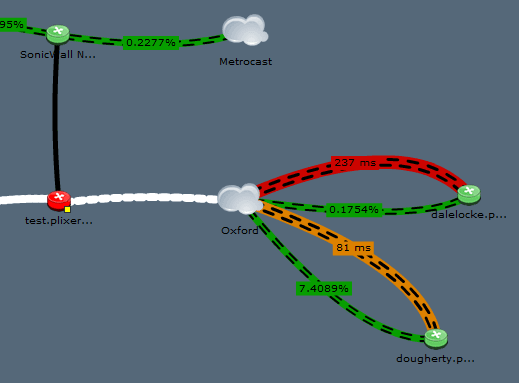
- New Mapping: Multiple connections from the same device, animated links (network ants), dependencies and a newer look and feel. Someone else will blog on these new maps as there is a lot to talk about with this new feature.
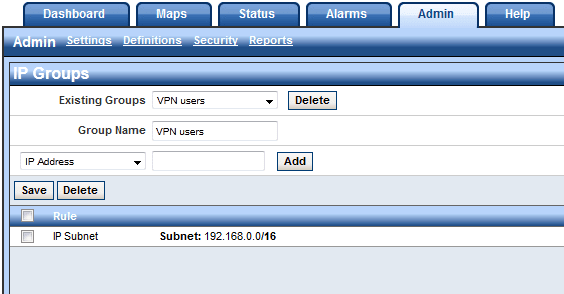
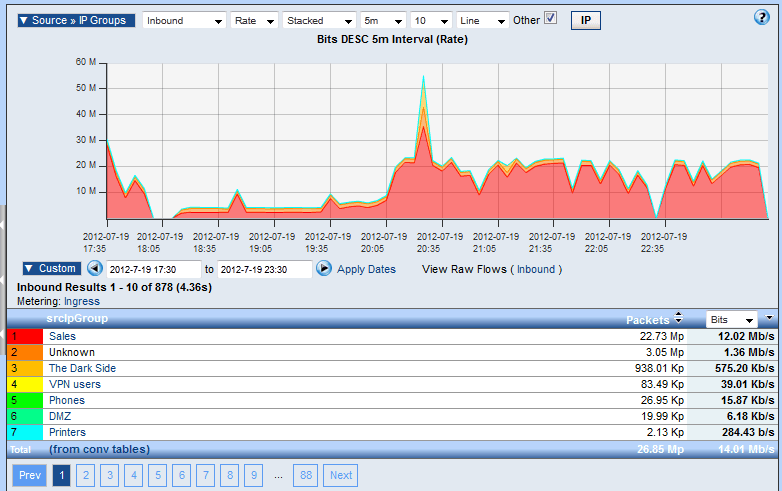
- IP Groups: Now show traffic between customized groups of IP Addresses allowing for improved network traffic analysis.
- Report Designer: Bring any machine generated messages including syslogs and even Microsoft event logs into Scrutinizer as IPFIX for correlation, threat pattern matching and reporting. Combined with IPFIXify, it can aid as a log management solution.
- Virtual and Hardware Appliances: Supports higher flow volumes and an alternative to a windows install.
- Advanced Reports Module: Includes Cisco and Citrix AppFlow advanced reports, 3rd party integration, billing capabilities, email and syslog monitoring.
- Improved Cisco ASA NetFlow Support: Denied flows detection, NetFlow, NSEL and syslog correlation delivering greatly enhanced reporting capabilities.
Give us a call to find out more or for a product demonstration.